
JJ Bot can work across all your computers, and you can reach it from a phone or a browser too.
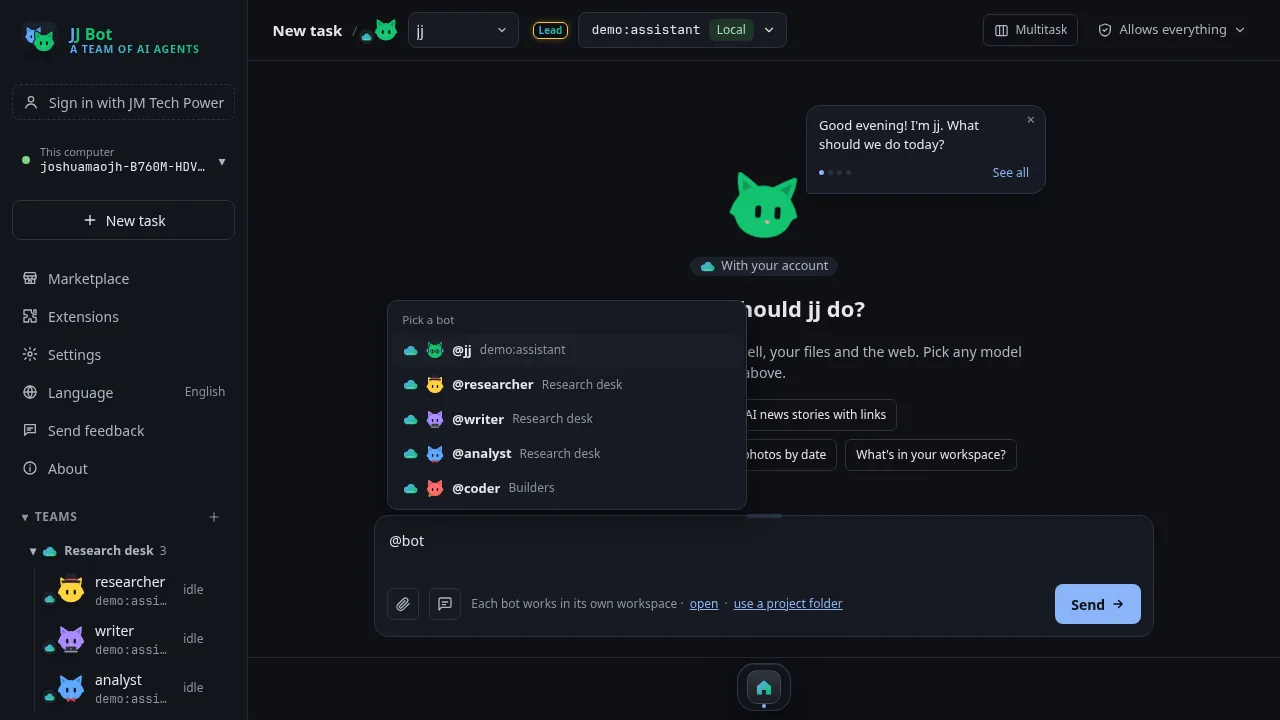
Sign in on each computer
- On each computer, sign in with your JM Tech Power account (the account row in the sidebar).
- Computers on the same account find each other. They are listed under your account in the sidebar, each in its own colour, and show whether they are online.
Use another computer from here
- Choose another computer to use it in this window (the sidebar, chats and settings switch to it) or in a new window.
- On each computer, Settings → Devices → "Let my other computers signed in to the same account use this one" controls this. It is on unless you turn it off.
Hand a task to another computer
In a message, type @com:Name to hand a task to that computer's bots. Type @c to list the computers that are online.
What syncs
- Bots that live with your account, teams, prompts and skills sync between your computers. You can turn sync off in the account menu.
- The lead bot's memory of you and its team reports sync too, so it picks up where you left off. Lines that look like a key or a password stay on the computer.
- Bots also learn how you use each computer.
Use another computer's local models
Local models (Ollama) on another of your computers show in the model list under On your other computers. They run on that computer while the bot works here. Settings → Devices turns this sharing off.
From a phone or a browser
- Open Settings → Devices → Pair a web browser.
- Pair your phone or another browser. You can then chat and approve steps from anywhere.
Stay safe
Settings → Security lists every device that used this computer and protects your settings from other devices.
Next: Learn JJ Bot, part 4: a bot's special skills in a chat.
中文版:JJ Bot 入门(三):在多台设备上使用 JJ Bot
评论 (0)
请登录后发表评论
登录暂无评论,成为第一个评论者!