
This part covers what a bot can do for you, and what you can do with its answers.
What bots can do
- Work on your computer: run commands, read and write files, list folders, search the web and read pages. Since 0.3.107 they read PDF, Word, Excel and PowerPoint files straight away, with nothing to install.
- Remember: save facts about you (or about one computer, or one project) for later chats. The lead bot also gets every bot's reports.
- Work as a team: message each other and collect replies, create new bots, set up and rename teams, and share notes every teammate sees.
- Use skills: load a skill's full instructions. The official skills cover web research, report writing, careful file changes, charts and Chinese–English translation, and since 0.3.106 also office documents, answering from your files, checking spreadsheets, designing routines and second-opinion review.
- Use installed tools: with JM Drive, list, upload, download and share files; with Flash Download, start downloads, check on them and control them.
- Run routines: tasks a bot runs on a schedule (Settings → Routines), while JJ Bot or its background service runs.
Risky steps (commands, changing files, downloads) wait for your OK unless the bot is set to Allow everything. "Don't ask again" remembers a choice.
In the chat
- Attach files and pictures (📎), dictate (🎤), quote earlier answers, and pick a project folder for the bots to work in.
- Explain asks the bot to explain an answer in simpler words. The bot's notes and steps fold into one line above its answer.
- Files a bot makes show in the answer: web pages run in a preview box, and pictures, charts and documents show right there.
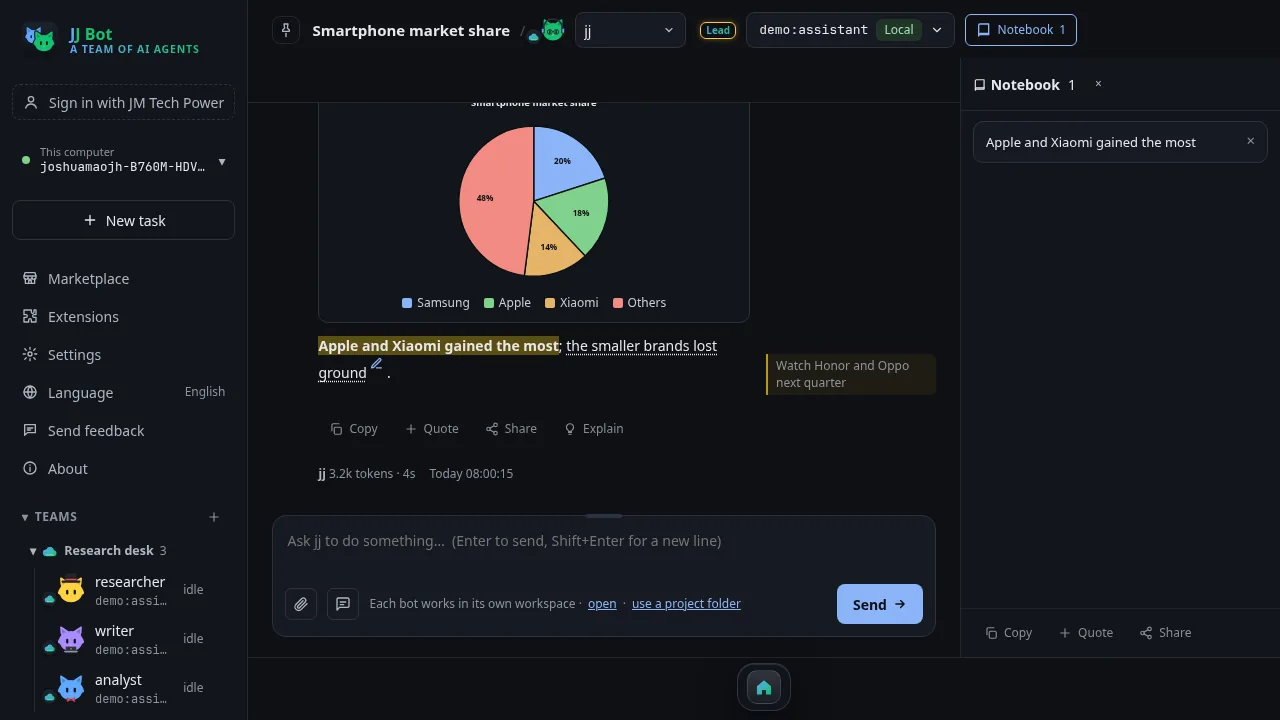
Mark up an answer
- Select some words in an answer.
- Choose Copy, Quote, Share, Format (bold, colours, highlight, boxes), Note (a note beside the words) or Notebook (a clip in the notebook beside the chat).
Share and quote
Share an answer, a selection or a whole chat to X, WhatsApp, Telegram, WeChat or email, or save it as Markdown, a web page or a PDF.
Multitask
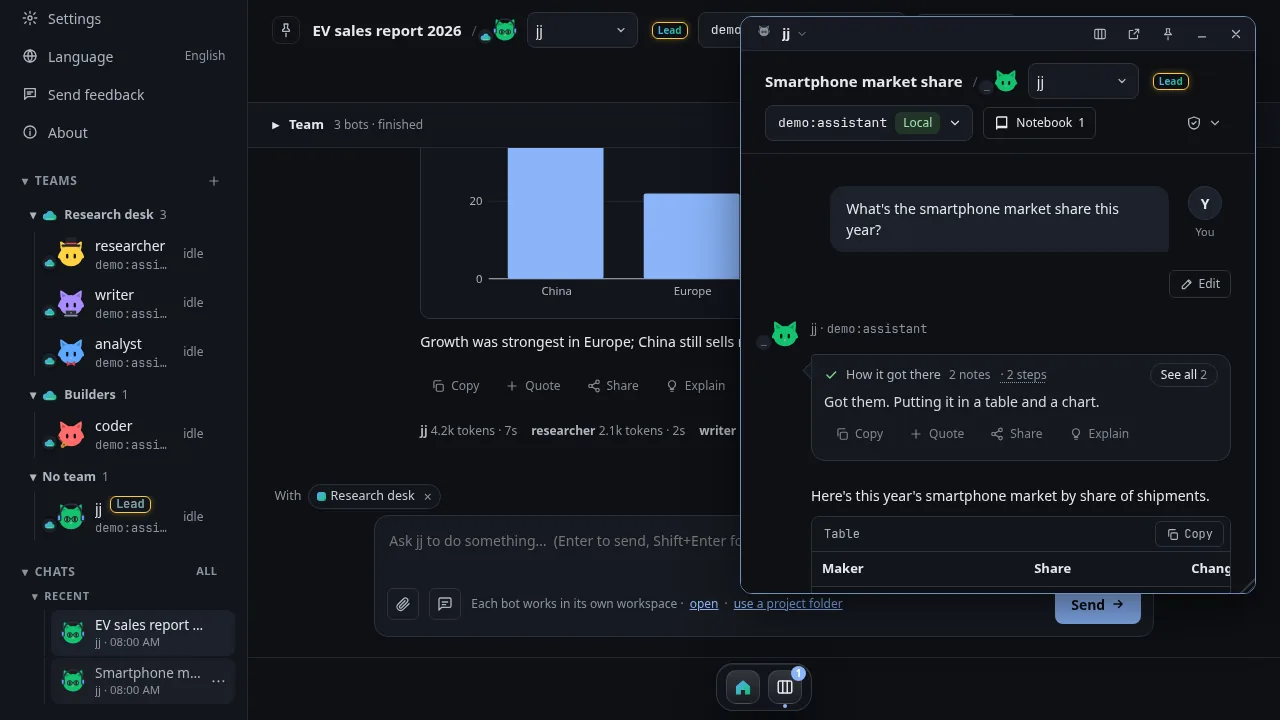
Open more chats as windows: drag, resize, pin, put them side by side, minimize them to the dock, or pull one out onto your desktop.
That is the whole series. Download JJ Bot and see what's new on the JJ Bot page.
中文版:JJ Bot 入门(四):对话中机器人的特殊本领
评论 (0)
请登录后发表评论
登录暂无评论,成为第一个评论者!