
JJ Bot is a free desktop app from JM Tech Power. It gives you a team of AI agents that work on your own computer, on the models you choose. You hand out the work in plain words; the bots do it with your files, the web and the tools you install, and come back with the results.
A team, not a single chatbot
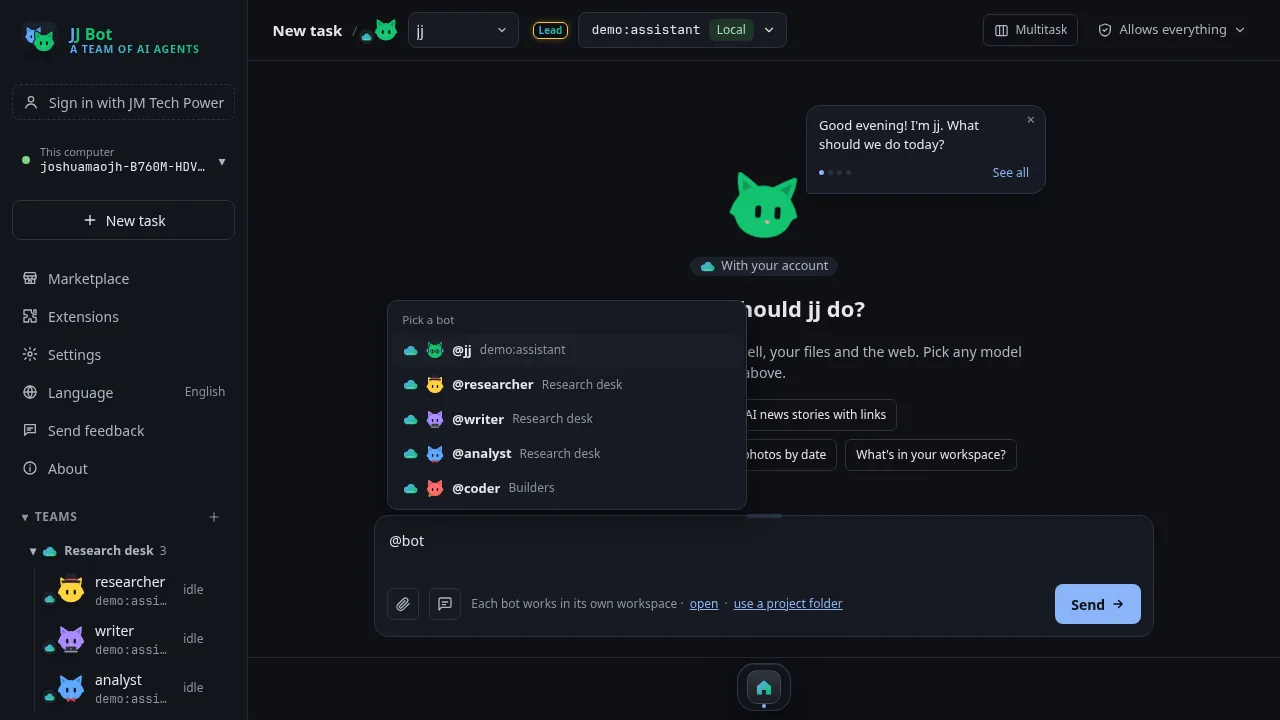
You start with a lead bot, jj. Add more bots for research, writing, data or code, and put them in teams. Type @ in a message to hand work to a team or several bots at once: they work at the same time and send their answers back, and they report what they finished to jj.
On your computer, with your choice of AI
- Any model: subscriptions you already have, API keys from any provider, Coding Plans, or free local models. Start free in two minutes (Settings → Models) runs every bot on GLM-4.7-Flash with a free Zhipu key. Each bot can use a different model.
- Your files stay on your computer. Bots run commands, read and write files and search the web there. They read PDF, Word, Excel and PowerPoint files straight away, with nothing to install.
- You stay in charge: risky steps, such as commands, changing files or downloads, wait for your OK unless you allow everything for a bot.
Tools from the Marketplace
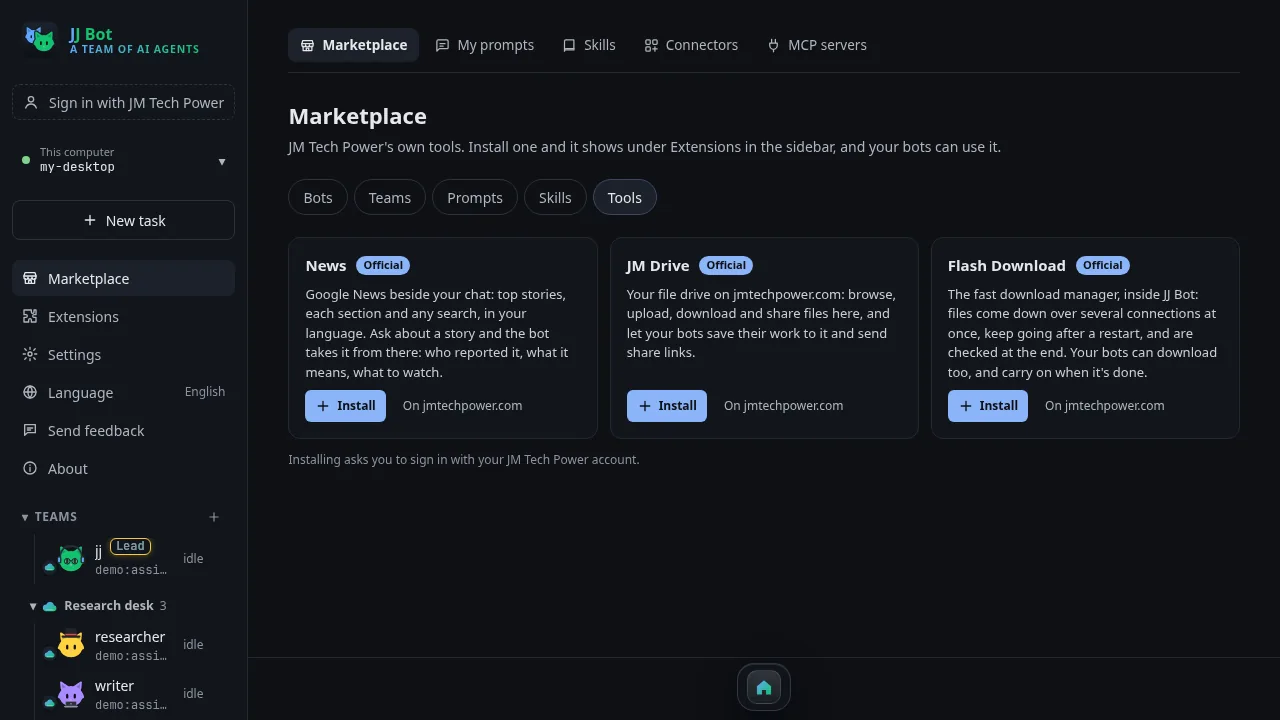
Add ready-made bots, teams, prompts and skills, plus JM Tech Power's own tools: News beside your chat, JM Drive for your files on jmtechpower.com, and Flash Download for fast downloads your bots can use too.
JJ Bot's official skills come installed. Version 0.3.106 added five: office documents (Word, Excel, PowerPoint and PDF), answering from your files, checking spreadsheets, designing routines and second-opinion review.
Work with the answers
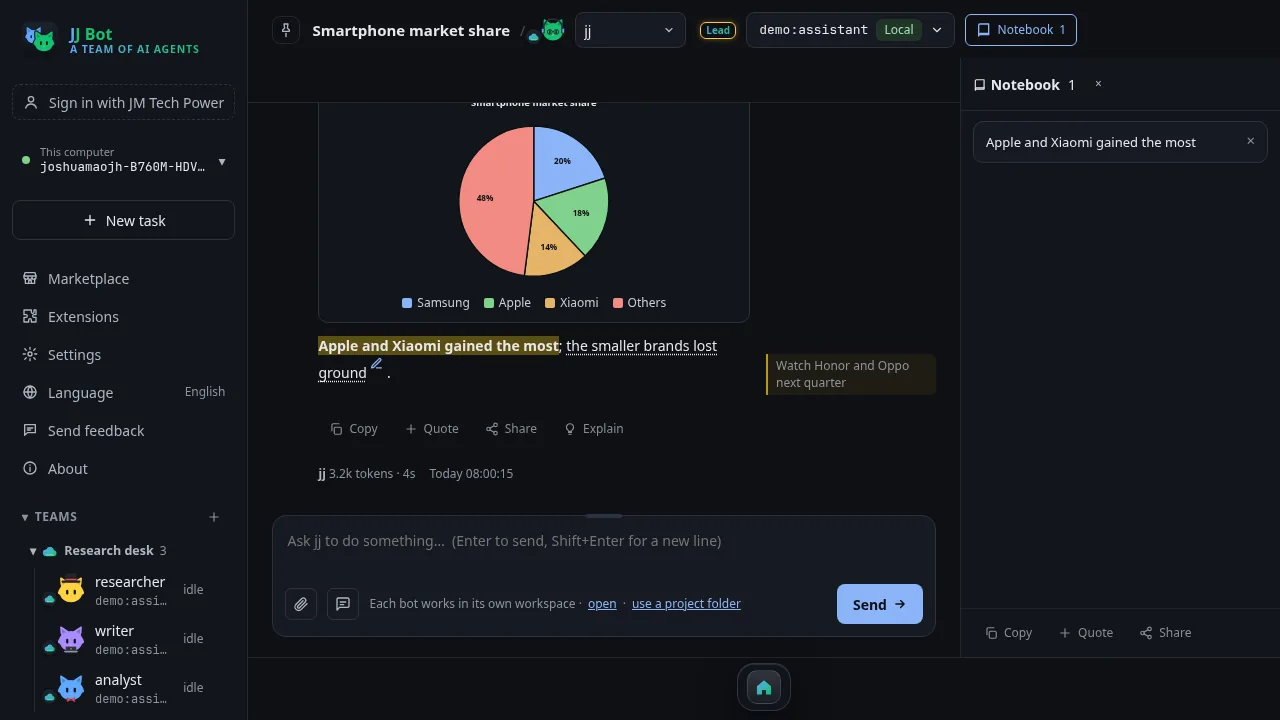
Mark up an answer with highlights, bold and notes beside the words, clip the best parts to a notebook, and share an answer or a whole chat. Open more chats as windows and keep several tasks going at once.
All your computers, and your phone
Sign in with your JM Tech Power account and your computers find each other: use one from another, or hand a task to a computer with @com:Name. Your lead bot's memory of you follows you, and you can pair a phone or browser to chat and approve from anywhere.
Who it is for
- People who want an AI that does the work, not just answers: research, reports, files, data.
- Anyone who wants to choose and mix AI models, including in mainland China and offline with local models.
- Small teams and one-person businesses who want several helpers working in parallel.
Good to know: it stops when your computer is off or asleep (there is no cloud computer), it takes a few more steps to set up than a website, and how good a bot is depends on the model you pick.
Get started
JJ Bot runs on Mac, Windows 10 and 11, and Linux. One command installs it; see the JJ Bot page. Then follow the Learn JJ Bot tutorials.
评论 (0)
请登录后发表评论
登录暂无评论,成为第一个评论者!