
Tutorial · JJ Bot 0.3.101 · 14 November 2026
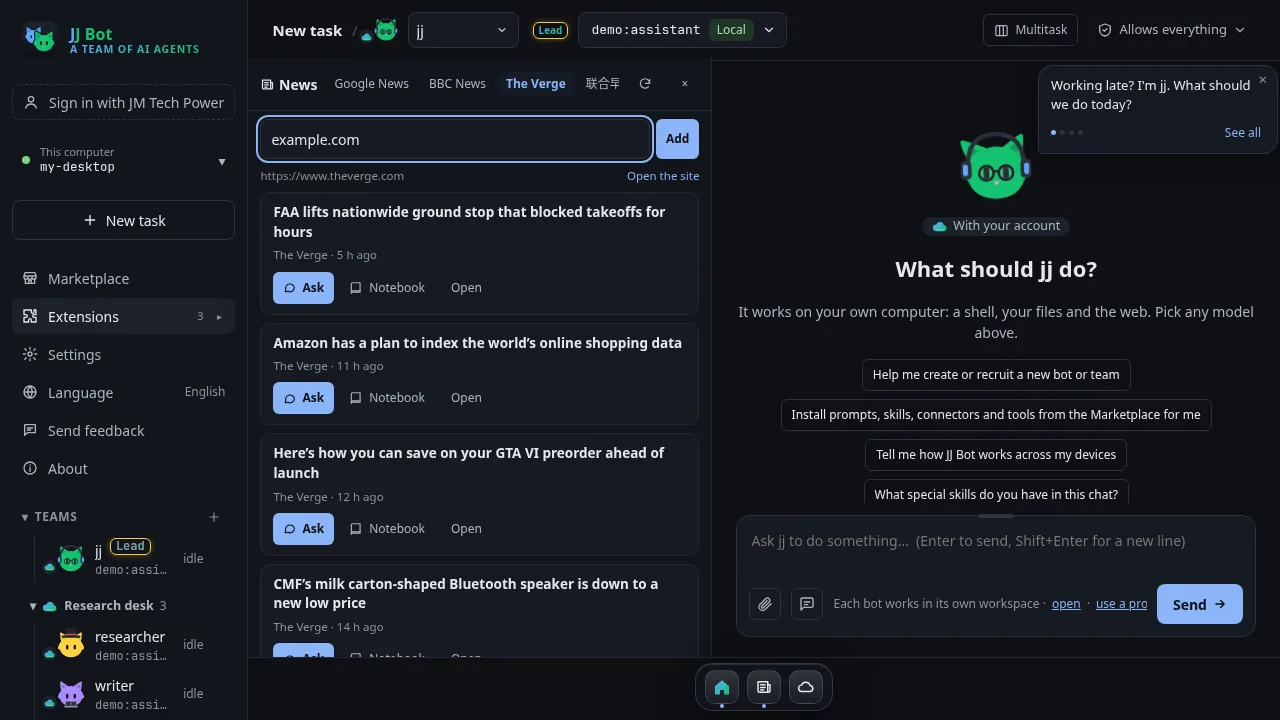
JJ Bot's News tool started with Google News. From 0.3.101 you can add your own news sites too. Each one gets a tab beside Google News, its stories open in the built-in reader, and Ask hands any of them to your bot.
Haven't installed News yet? Start with the News tutorial.
1. Add a site from the News pane
- Open News beside your chat (from the dock).
- Click the + at the end of the tabs.
- Type the site's address, for example
news.sina.com.cn,www.bbc.com/news, or the address of a site's RSS feed, and click Add.
JJ Bot reads the site once when you add it, to get its name and check that it works.
2. Read its stories, and Ask
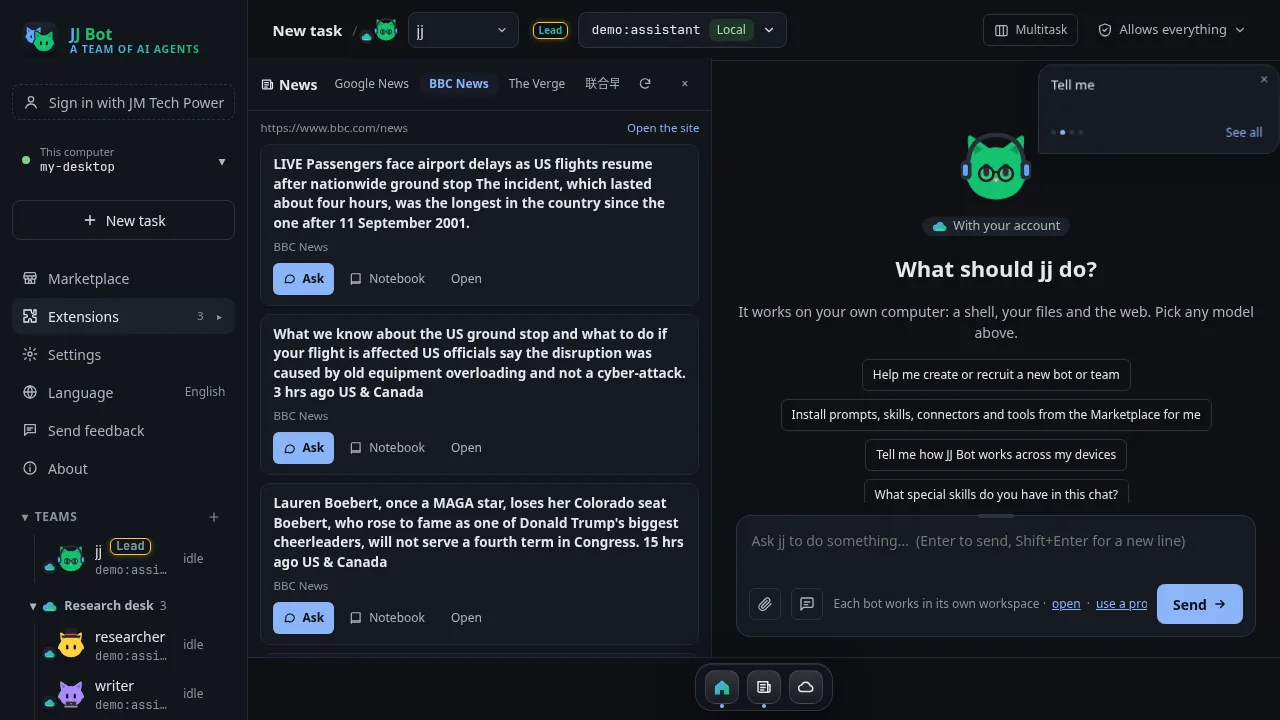
The new tab sits beside Google News. JJ Bot reads the site's feed (RSS or Atom) when it has one, or else the headlines on its page.
- Click a headline to read the story in the reader.
- Click Ask to hand it to your bot: it reads the article, sums it up and asks what next.
- Notebook clips it; Open reads it in your browser; Open the site opens the site itself.
3. Rename, reorder and remove your sites
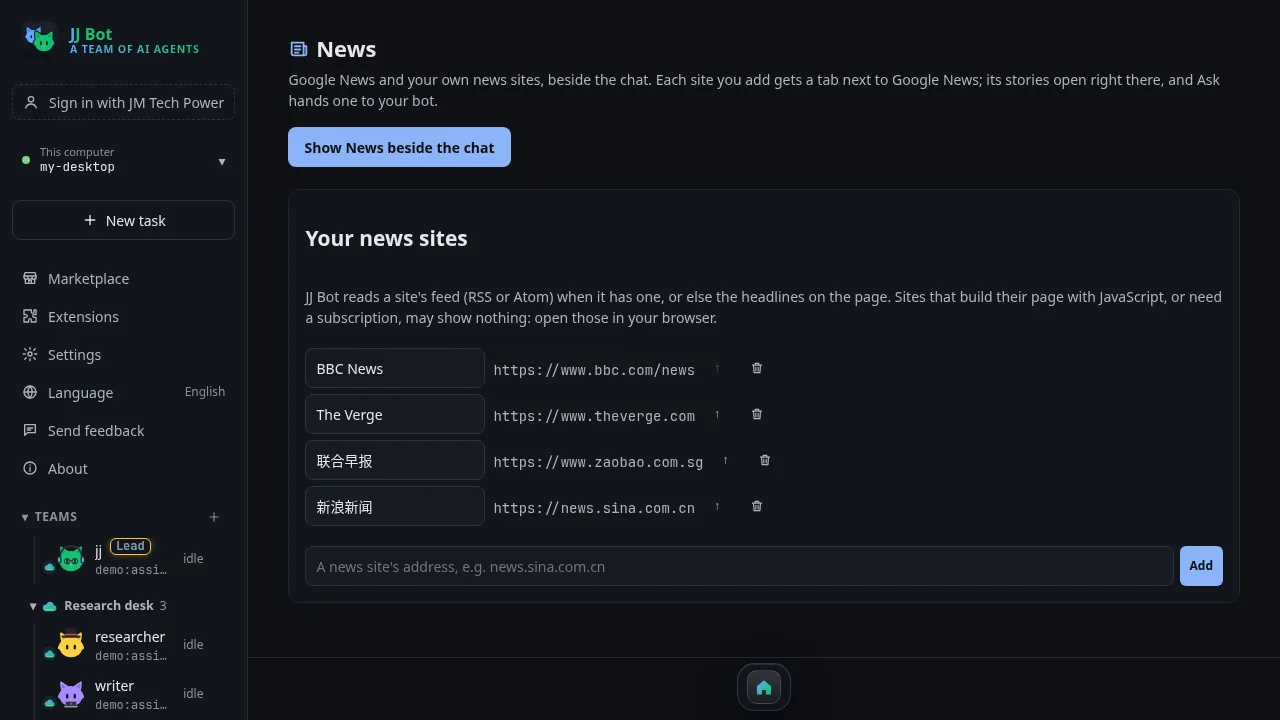
In the sidebar, click Extensions → News. The News page lists your sites:
- Edit a name to rename its tab.
- ↑ moves a site up; the tabs follow this order.
- The bin removes a site.
- The box at the bottom adds another one, and Show News beside the chat takes you back.
When a site shows nothing
Some sites build their page with JavaScript, need a subscription, or block readers. JJ Bot can't read those: the tab says so clearly, with an Open the site button to read it in your browser. In JJ Bot's own tests, news.sina.com.cn, zaobao.com.sg, BBC and The Verge worked; 36kr (built with JavaScript) and Reuters (blocks readers) showed the message. If a site has an RSS or Atom feed, adding the feed's address often works best.
Download JJ Bot or update it, and see everything that's new, on the JJ Bot page.
评论 (0)
请登录后发表评论
登录暂无评论,成为第一个评论者!