
Hands-on · written by the JJ Bot team · 21 November 2026
We make JJ Bot, so this isn't an independent review. It's an honest walk-through of what we saw when we tried the two new Marketplace sources on a fresh JJ Bot 0.3.169, including the rough edges.
Skills from a GitHub repository
- Open Marketplace and the Skills tab. Near the top is From a GitHub repository, with two suggestions under Try:.
- We clicked
anthropics/skills. A few seconds later JJ Bot listed 20 skills, with the commit it read and when it last checked. - Each skill has Read it first and Install. We read algorithmic-art (it makes generative art with p5.js) and installed it. The repository line now says 1 installed.
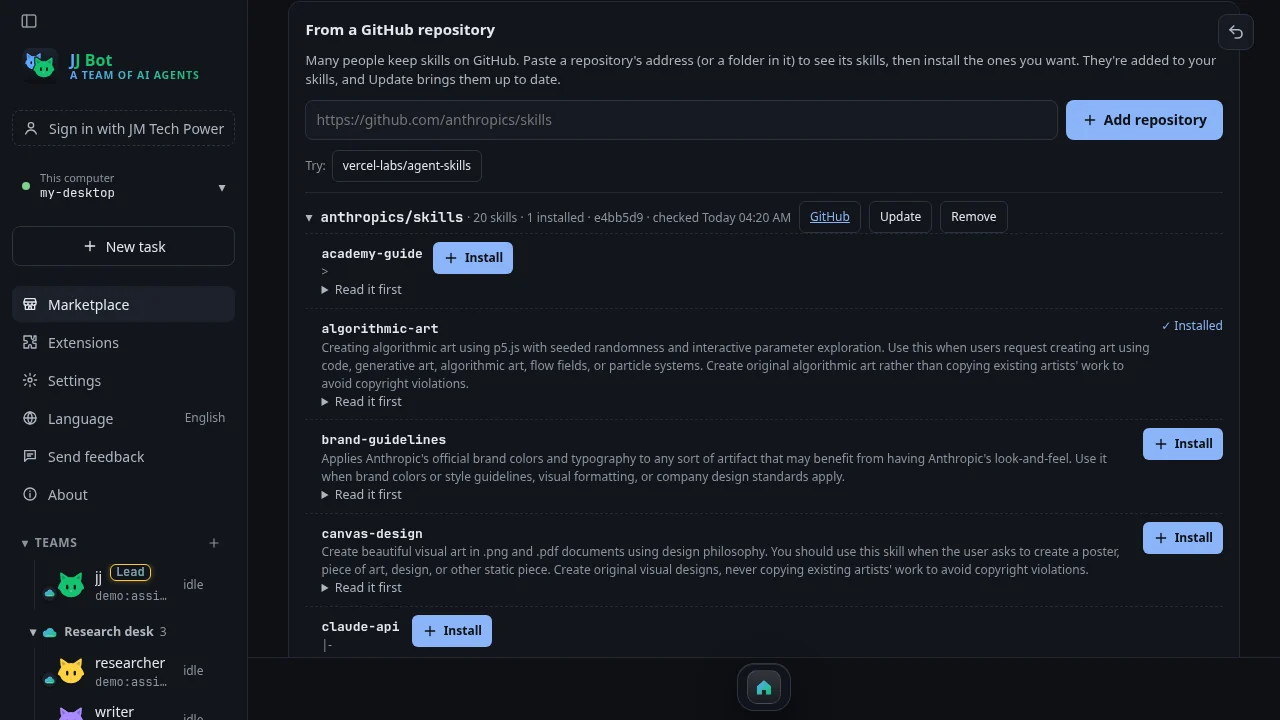
What we liked: no git, no GitHub account and no copying files around. The skill simply appears in your skills for every bot. Update keeps it current, and a skill you edited yourself isn't overwritten.
What to watch: these are other people's skills and some come with scripts your bots may run, so read before installing. We also noticed that a couple of skills show a lone symbol instead of a description. That's a display bug on our side, reported to the app team; the skills themselves are fine, and Read it first shows the whole text.
Prompts from prompts.chat
- Switch to the Prompts tab. Below the prompts people shared in JJ Bot is From prompts.chat, with 2,981 prompts when we looked.
- We typed
translatin the Marketplace search box: 80 prompts from prompts.chat, from English Translator and Improver to Chinese to English translation assistants. - Each one has Add to my prompts, to keep a copy you can change, and Use now, which puts it straight in the message box.
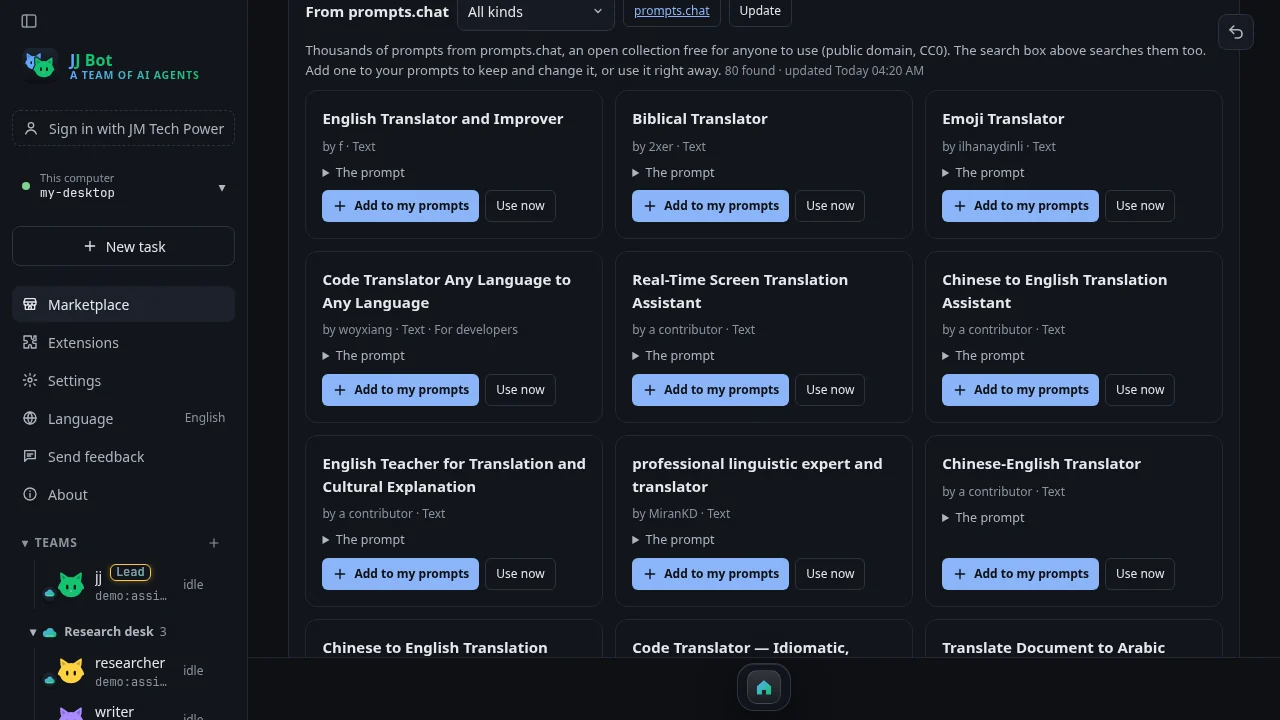
The whole collection is searched on your own computer, so results come back at once. The Kind filter narrows them to prompts for developers, plain text, structured JSON or images. Prompts you've added are marked, with who wrote them.
Our verdict
Both make the Marketplace far bigger without making it harder to use: find something, read it, add it. The one habit to keep is reading a skill before installing it. Want to try? Download JJ Bot, or read the overview of the new Marketplace.
Comments (0)
Please login to post comments
LoginNo comments yet. Be the first to comment!