
Introduction · JJ Bot 0.3.166 to 0.3.169 · 21 November 2026
JJ Bot's Marketplace is where your bots get new abilities: bots and teams other people shared, prompts, skills, tools and connectors. On 21 November it grew in three directions at once. It now reaches well beyond what JJ Bot users share with each other, to three large open collections.
Skills straight from GitHub
Many people publish skills (folders with a SKILL.md that teach a bot how to do a job) on GitHub. In
Marketplace → Skills → From a GitHub repository, paste a repository like
anthropics/skills or vercel-labs/agent-skills, or a link to one folder in it. JJ Bot lists
every skill inside. Read one, then Install: it joins your skills with its scripts and files, and
every bot can use it. You don't need git or a GitHub account.
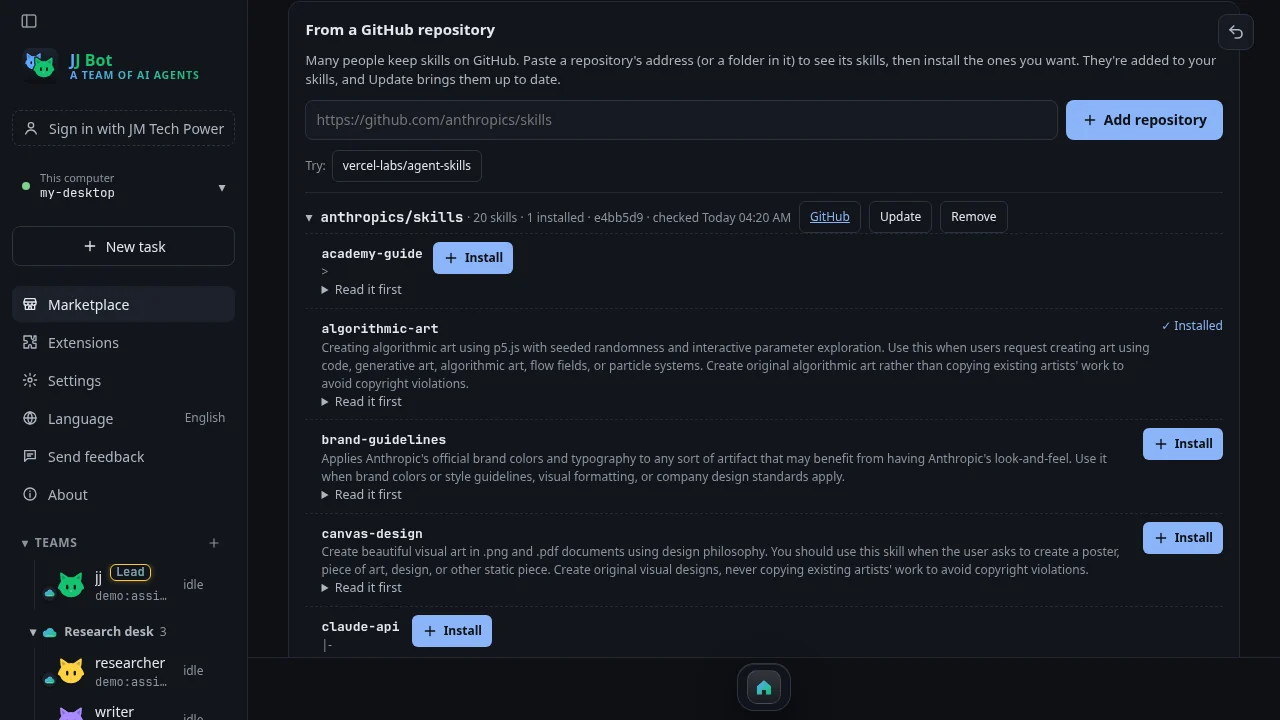
Update fetches the repository again and brings your installed skills up to date, but leaves alone any you changed yourself. These skills are made by others and JJ Bot doesn't check them, so read a skill before installing it.
Thousands of ready-made prompts
Marketplace → Prompts → From prompts.chat brings in prompts.chat, the best-known open prompt collection. It's public domain (CC0), so anyone may use it. When we took these pictures it held 2,981 prompts. The Marketplace search box searches them alongside the prompts people shared in JJ Bot, and you can filter by kind: for developers, text, structured JSON, images.
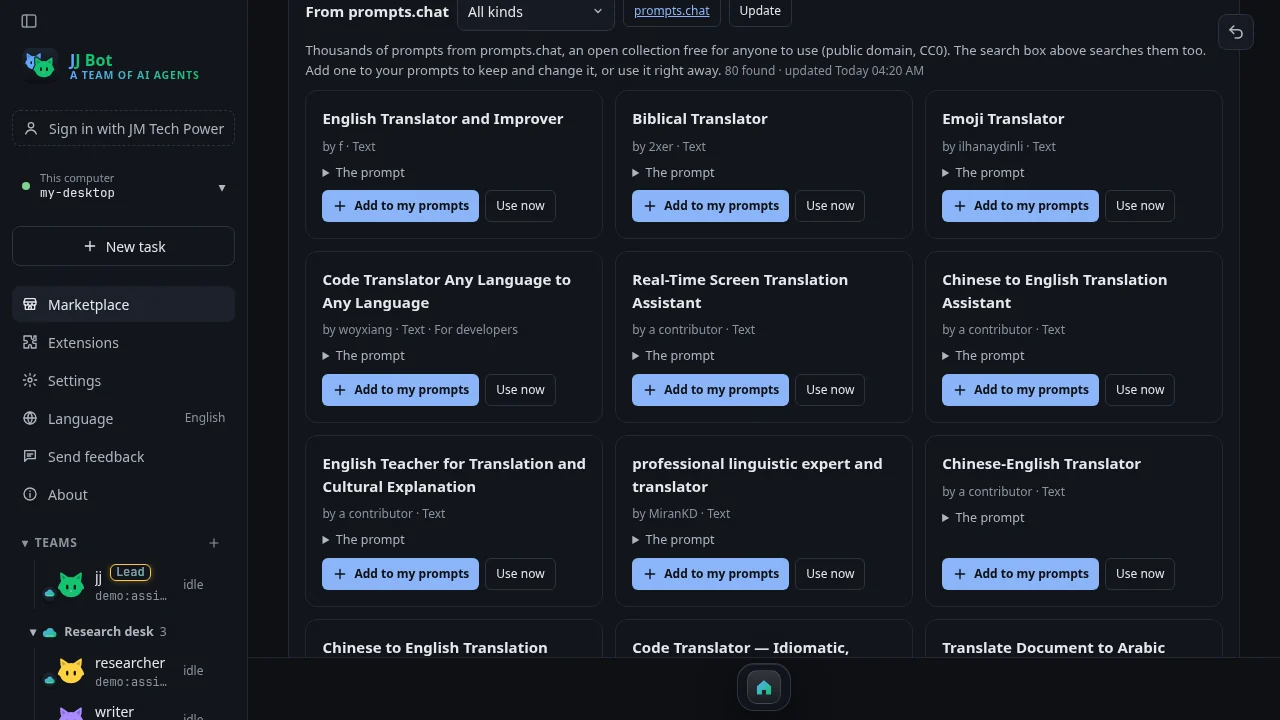
Read a prompt, then Add to my prompts to keep and change it, or Use now to put it straight in the message box. JJ Bot downloads the collection once, searches it on your own computer, and refreshes it weekly or when you press Update.
MCP servers from the official MCP Registry
MCP servers give your bots new tools: a weather service, a database, a project tracker. JJ Bot already had a short list of ready-made Connectors. Connectors → Search the MCP Registry opens up thousands more, published by their makers on the official MCP Registry.
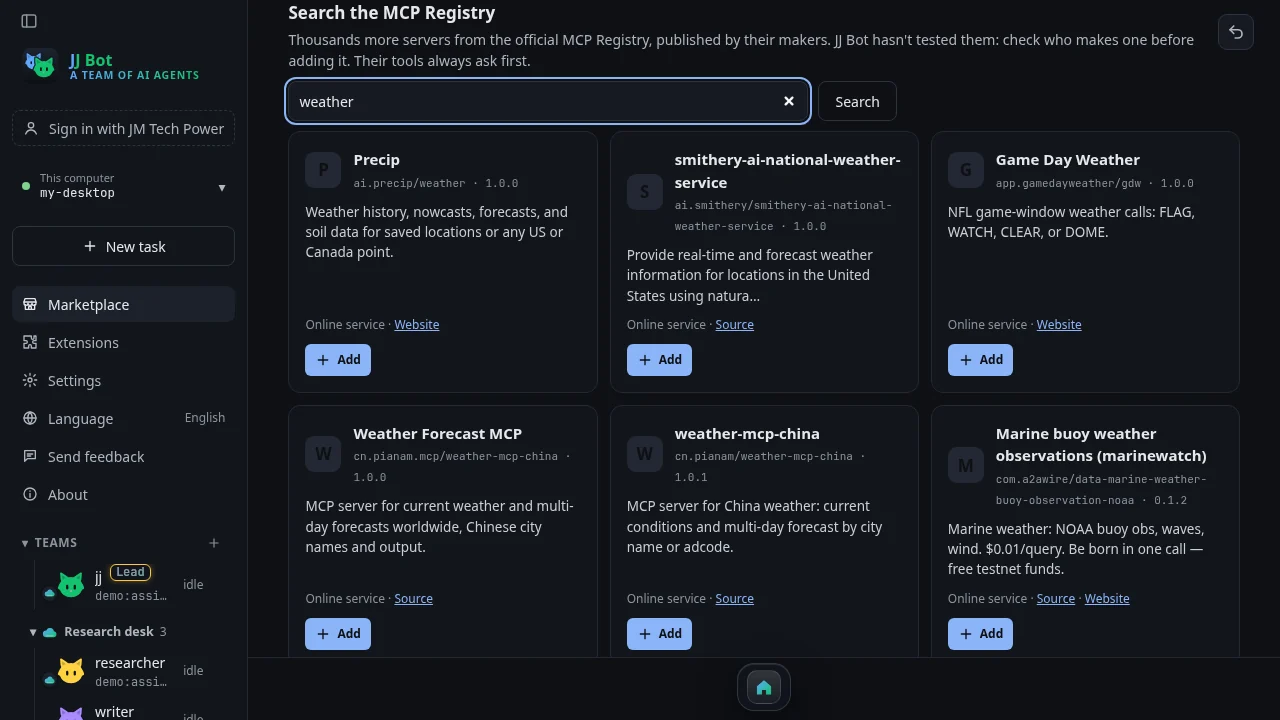
Each result shows who publishes it, its source or website, and whether it's an online service or runs on your computer (Node.js or Python). Pick one and type its key if it needs one. JJ Bot connects to check it works before adding it, and the new tools always ask before acting. Docker images and .mcpb bundles aren't supported yet.
Try them
- Update JJ Bot to 0.3.169 or later, then open Marketplace from the sidebar.
- Step-by-step pieces: skills from GitHub and prompts from prompts.chat, and adding an MCP server from the Registry.
- Download JJ Bot: https://jmtechpower.com/jjbot
Thanks to Kingson Mo, whose ideas led to the prompts.chat collection and this set of articles.
Comments (0)
Please login to post comments
LoginNo comments yet. Be the first to comment!